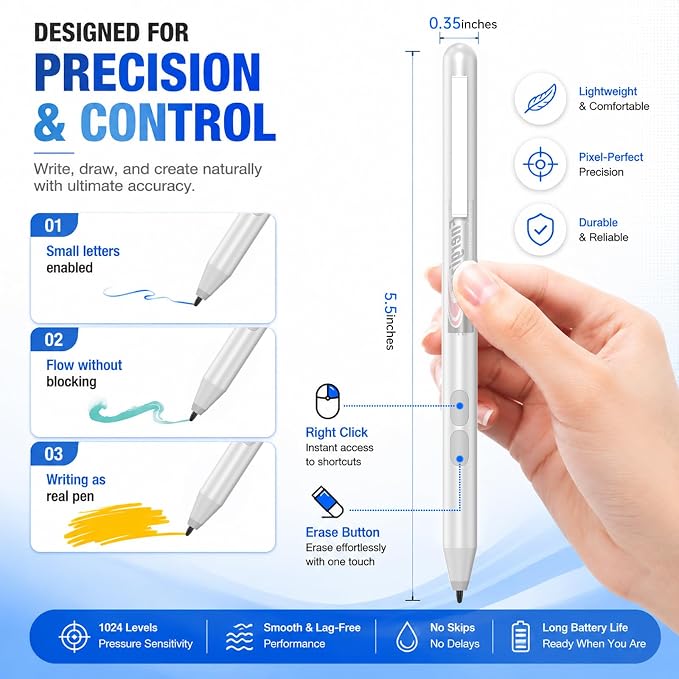
- 【Engineered for HP Omnibook X & Envy】Seamlessly compatible with the latest HP models, including Omnibook X Flip, Envy x360, Spectre x360, and Pavilion series. Utilizing advanced MPP 1.51 technology, this mpp stylus pen provides an instant, lag-free connection?perfect for professionals and students using HP 2-in-1 laptops.
- 【Precise Smooth & 1024 Pressure Sensitivity】Unlock your artistic potential with professional-grade tilt support and 1024 levels of pressure sensitivity. Whether you're sketching on an Omnibook 7 or shading on an Envy 15, this hp envy x360 pen mimics the natural feel of a pencil, allowing for varied line weights and smooth artistic expression.
- 【Smart Palm Rejection & Smooth Writing】Experience a true paper-like feel. Our smart palm rejection technology allows you to rest your hand naturally on the touchscreen without accidental marks. Ideal for long hours of note-taking, digital journaling, or document signing with this stylus for hp envy laptop.
- 【AAAA Power & Long Battery Life】Unlike rechargeable styluses that require frequent USB-C charging, our hp omnibook pen supports battery operation with an incredible 300-day ultra-long battery life. You never need to worry about running out of power or carrying a charging cable around. Easy replacement, stable performance, and long-lasting use for all your daily needs.
- 【Ready to Use - No Bluetooth Required】Simple and intuitive: just put in the battery and start writing. No complex Bluetooth pairing or driver installation needed. Features two quick-access shortcut buttons (Erase/Right-click) to speed up your workflow. This practical hp stylus works perfectly on HP Omnibook 5/7 and Ultra series.
Product description
Stylus Pen for HP MPP Pen-Enabled Touchscreen Laptops Envy/Pavilion/Spectre x360
Will this stylus work with my HP laptop or tablet?
What’s the difference between this and the original HP pen?
!! Will this pen work on HP OmniBook?
Does it feel natural for writing and drawing?
How long does the battery last?
Will this stylus work with my HP laptop or tablet?
This stylus is designed for HP devices that support MPP (Microsoft Pen Protocol), including most HP Spectre, Envy, Pavilion x360, and select HP touchscreen models. If your device supports MPP pen input, it is compatible.
What’s the difference between this and the original HP pen?
This stylus delivers a similar writing and drawing experience with low overall costs. A great alternative for users who want reliable performance without paying more.
!! Will this pen work on HP OmniBook?
Please make sure your HP OmniBook supports an active digitizer (MPP / pen-enabled touchscreen). If your device only has a standard capacitive touchscreen, it will not support this pen. Please check your device specification before purchasing.
Does it feel natural for writing and drawing?
Yes. The pen is optimized for low-latency, real-time writing, making it ideal for: Note-taking in OneNote, Annotating PDFs, Sketching and design work. Enjoy a paper-like writing experience with minimal lag or skipping.
How long does the battery last?
Power by Alkaline battery supports 300-day of continuous use on a single battery. No Bluetooth pairing is required?just put in the battery and start writing.