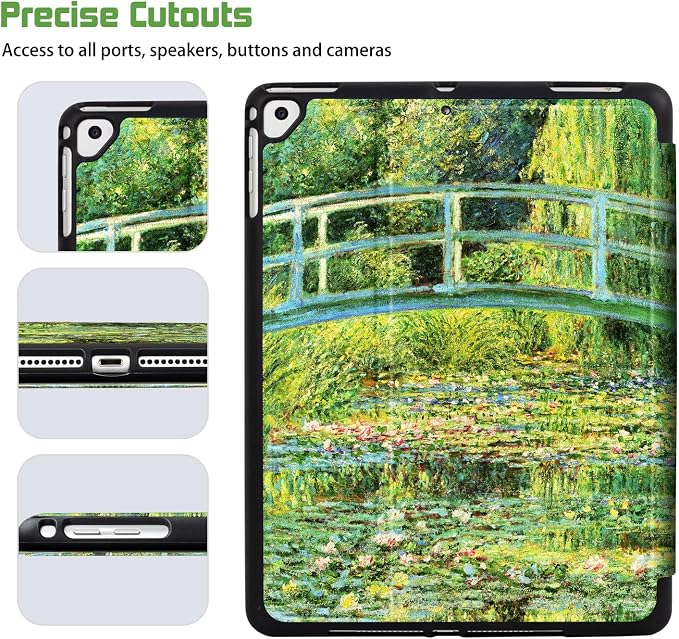
for iPad Air 2/1 Case for iPad 5Th/6Th Generation Case 2017/2018 Slim Cover for iPad Cases 5th/6Th Generation 9.7-inch Pencil Holder 2 Viewing Angles Typing Stand Black Flower Art
- 【Compatible with】: Lalumix Case fit for iPad 5th Generation case 2017 (A1822/A1823), fit for iPad 6th generation cases 2018 (A1893/A1954), fit for iPad Air 1 case 2013 (A1474/A1475/A1476), fit for iPad Air 2 case 2014 (A1566/A1567). [Tips: No compatible with any other devices. NOT Fit for ipad pro 9.7 inch 2016; NOT Fit for iPad Air 5th/4th gen 10.9 Inch 2022/2020; NOT Fit for iPad 10th/9th/8th/7th gen 2022/2021/2020/2019.]
- 【How to check Model Number】: Clicking on Settings Icon---Tap on Settings then find General----Tap on General then find About----Tap on About then you will see the Model Name----Tap on Model Number you will get the Model Number just like A1234.
- 【Built-in Pencil Holder】: Lalumix for iPad Air 2/1 Case, for iPad 5Th/6Th Generation Case 2017/2018, Slim Cover for iPad Cases 5th/6Th Generation 9.7-inch come with Pencil holder, this design to grab or carry Pencil easily and conveniently (Pencil is NOT Included!).
- 【Typing Stand & 2 Viewing Stand】-- Lalumix for iPad Air 2/1 Case, for iPad 5Th/6Th Generation Case come with Trifold Stand for 2 Stand Model. Typing Stand Model: 30 degree angle stand. The wrist is not easily sore when typing; Viewing Stand 65 degree: Adjust different angles to get a better viewing experience. Latest design, practical angle standing, freeing up the your hands.
- 【Smart Auto Sleep/Wake】: Lalumix for iPad Air 2/1 Case 2014/2013, for iPad 5Th/6Th Generation Case 2017/2018 come with Build in magnets ensure the auto sleep/wake function engages quickly every time. It helps extend battery life.(Please Note: To find Settings--Display&Brightless--Lock/Unlock, to slide the lock and unlock button to make it green then the smart wake-sleep function is enabled).