MobileNest
for iPhone 13 Pro Max Power Volume Button Wireless Charging Charger | OEM NFC Chip On/Off Switch Control Wireless Charger Panel Coil Silent Mute Key Repair Fix Kit A2641 A2643 A2644 A2645 A2484
for iPhone 13 Pro Max Power Volume Button Wireless Charging Charger | OEM NFC Chip On/Off Switch Control Wireless Charger Panel Coil Silent Mute Key Repair Fix Kit A2641 A2643 A2644 A2645 A2484
Couldn't load pickup availability
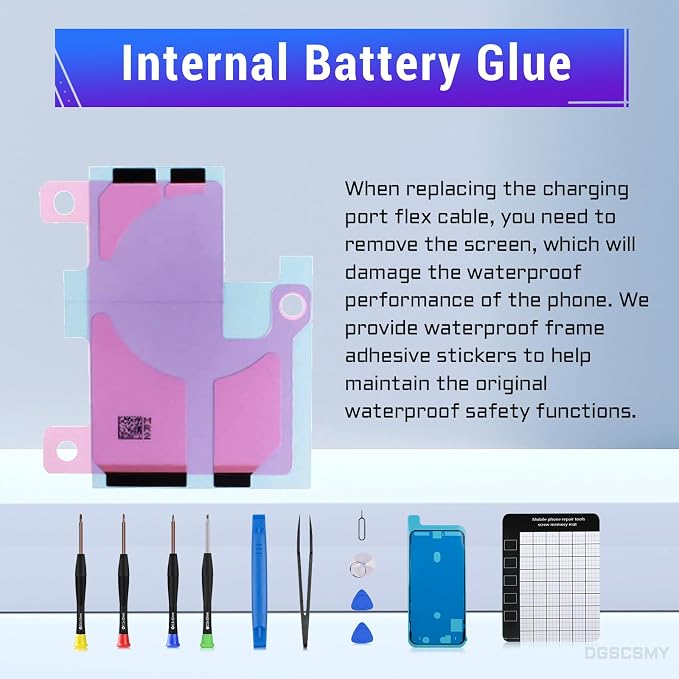
- Fit For iPhone 13Promax The Power Volume Button NFC Chip Wireless Charging Charger Panel Coil Replacement ONLY Compatible with iPhone 13Promax, Models: A2641, A2643, A2644, A2645, A2484, NOT fit for iPhone 13 & 13pro. - Complete Tools Kit to Save Money The Power Volume Button NFC Chip Wireless Charging Charger Panel Coil Replacement kit Comes with all the essential tools for a hassle-free installation, saving you both time and money. The battery adhesive ensures a secure attachment of your phone’s battery, reducing the risk of damage due to loose connections. - Repair Different Issues Tackles multiple issues originating from power button wireless charging damage, encompassing dysfunctional power/volume/mute buttons, reduced button sensitivity, and problems related to wireless charging, such as abnormal operation, slow charging, or complete failure. - Premium-quality After the replacement components are fitted, the buttons exhibit heightened sensitivity and excellent button bounce, providing a responsive and tactile feedback. The wireless charging feature functions flawlessly, offering reliable and prompt charging. Notably, the product employs a high-quality flexible cable. - Tested Before Shipping The Power Volume Button NFC Chip Wireless Charging Charger Panel Coil Replacement parts for iPhone13Promax go through a rigorous testing process before they are shipped. If you encounter any problems upon receiving your package, please don’t hesitate to get in touch with us. Our team is available to assist you.
Product description
aplus content video
for iPhone Wireless Charging Power Volume Mute Button Replacement
Are the repair tools complete?
How can I remove the screen more easily?
Do I need to use the appropriate screws?
Should I test the functions before sealing my phone?
What if the new replacement parts doesn't work?
Are the repair tools complete?
Yes, a complete set of necessary installation kits are provided.
How can I remove the screen more easily?
Please use a hair dryer to soften the glue and make it easier to remove the screen.
Do I need to use the appropriate screws?
Please note that there are many screws which are different either in size or length. Please mark them correctly. if you put the screw in the wrong place, it would break the mobile phone.
Should I test the functions before sealing my phone?
Yes, it is recommended to test replacement parts for proper functionality before sealing the phone.
What if the new replacement parts doesn't work?
We recommend checking if the cable is loose and to reinstall it, ensuring that it is properly connected and seated in its slot.
Share