MobileNest
MOSHOU Qi Wireless Charging Kit for Logitech G PRO X Superlight 2/1 G PRO X 2 Superstrike G502/G502 X Lightspeed G502 X Plus Charging Puck Module and Wireless Pad Not for POWERPLAY
MOSHOU Qi Wireless Charging Kit for Logitech G PRO X Superlight 2/1 G PRO X 2 Superstrike G502/G502 X Lightspeed G502 X Plus Charging Puck Module and Wireless Pad Not for POWERPLAY
Couldn't load pickup availability
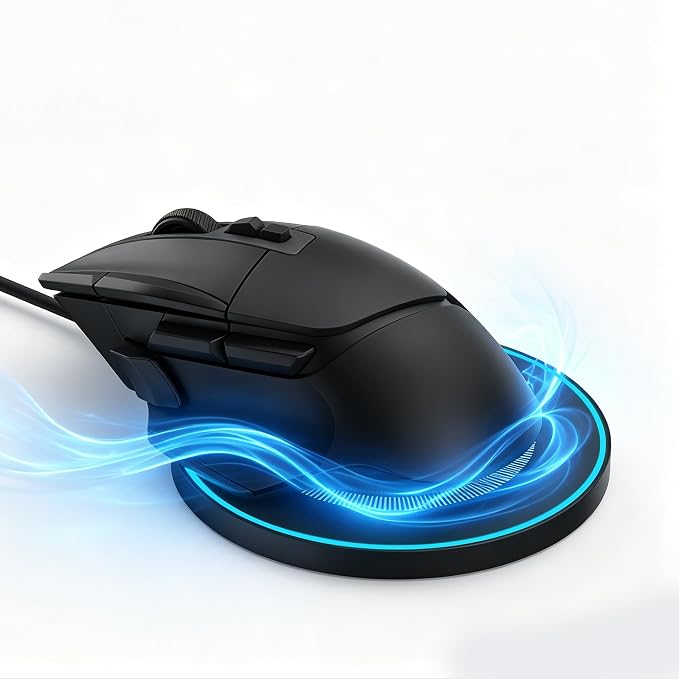
- Wireless Charging Kit for Logitech Gaming Mouse:compatible with Logitech G PRO X Superlight, Superlight 2/2C, Superlight 2 DEX/SE,PRO X2 SUPERSTRIKE, G502 Lightspeed, G502 X Lightspeed, G502 X Plus, G703/G903 Lightspeed, G Pro Wireless, G Pro 2 Lightspeed - Includes Charging Module and Wireless Pad:This kit comes with a Qi charging receiver module and a wireless charging pad, giving your compatible Logitech mouse a clean desktop charging setup without plugging the cable into the mouse every time. - Battery-Focused Safe Charging:The Qi Wireless Charging Kit provides stable power delivery and automatically stops charging at around 80% to help reduce battery wear and support long-term battery health. During Qi Wireless charging, the mouse charging light may not turn on, as it typically only activates during USB cable charging, The Wireless Charging Pad indicator glows blue during charging. - Lightweight 5.4 g Receiver Module:The charging module weighs about 5.4 g and is designed to fit the mouse base while keeping the original hand feel as much as possible, suitable for daily gaming, work and long desktop use. - Qi Charging Only, Not for POWERPLAY:Works with Qi wireless charging only. Please align the receiver module with the center of the charging coil for best results. Not compatible with Logitech POWERPLAY mouse pad or POWERPLAY charging system.
Product description
Why does the mouse only charge to about 80%?
Why is my mouse not charging or charging unstably?
Why does the charging pad show a blue light?
Why does the charging module feel heavier than the original Logitech weight cover?
Why is there no light on the mouse during wireless charging?
Why does the mouse only charge to about 80%?
This is normal. The charging module has built-in charging protection, so it may stop around 80% to help protect the mouse battery during wireless charging.
Why is my mouse not charging or charging unstably?
Please place the mouse in the center of the charging pad. The charging module must align with the center charging area for stable wireless charging.
Why does the charging pad show a blue light?
The blue light means the charging pad is working during charging. This is a normal charging indicator, not a defect.
Why does the charging module feel heavier than the original Logitech weight cover?
The charging module includes wireless charging components, so it may feel slightly heavier than the original Logitech weight cover.
Why is there no light on the mouse during wireless charging?
This is normal. The mouse does not show a charging light during wireless charging. The mouse light only appears when charging with a cable.
Share