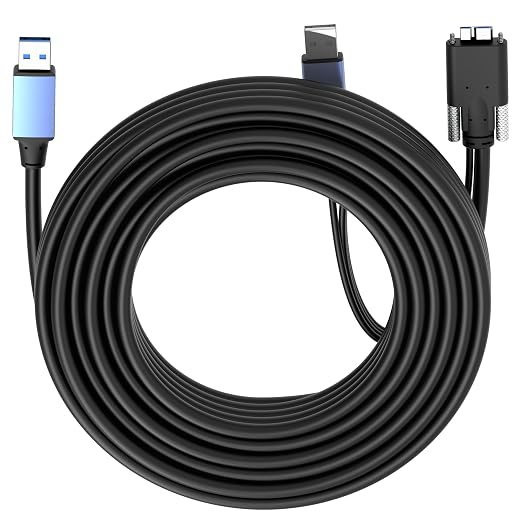
- ?? 【Choose The Perfect Length】 USB A to Micro-B USB 3.0 / 3.2 Gen1 (5Gbps) 1.6ft(0.5M)?10ft(3M) passive cables: support up to 60W charging, bidirectional. Screw lock versions available. 15ft(5M)?32ft(10M) active cables with signal amplifier: stable long-distance data transfer, aux power for chip operation only, supports up to 5W power output (optimized for high-speed data transmission). Screw lock versions available for 15ft(5M) & 32ft(10M).
- ? 【SuperSpeed Data Transfer】 Supports USB 3.0 / 3.2 Gen1 5Gbps high-speed transmission for external drives, SSD enclosures, cameras, printers and industrial Micro-B devices. Plug-and-play, supports Windows, macOS and Linux.
- ?? 【Aux Power & Screw Lock Design】 Long active cables (15 ft / 5 M+) use aux power only for chip operation, ensuring stable long-distance transmission, 2.6ft (0.8M) aux power at the Micro-B end. Screw lock versions provide secure connection for industrial monitoring and equipment cabinets.
- ??? 【Durable Build】 Aluminum connectors & PVC jacket provide stable, interference-free performance for daily and industrial use.
- ?? 【Wide Compatibility & Connection Guidance & Note】 Works with external HDD/SSD enclosures, cameras, printers and industrial Micro-B equipment. ?? IMPORTANT: This cable uses USB 3.0 / 3.2 Micro-B connector, NOT compatible with USB 2.0 Micro-B ports. - Short cables: support bidirectional. - Long active cables: USB-A to host, Micro-B to device. - Under special circumstances for cables with aux power, we recommend connecting the aux power first, then plugging in the Host End.
Product description
Pursue quality & performance? Choose OkyLink.
USB 3.0 (USB 3.2 Gen 1) A to Micro-B,male to male cable
Insert the male connector into the USB 3.0 Type A slot on the host side.
SuperSpeed 5Gbps Performance
SuperSpeed 5Gbps Performance
How to Use the Additional Power Cable
For Active cables (5M/15ft+), plug the optional power cable into any available USB power source near your device?such as a wall charger, USB hub, or computer port?for maximum stability. For low-power devices, the cable often works perfectly without external power.
If the usb 3.2 Gen 1 (3.0) extension cable is used for power transmission: