MobileNest
SAMCOM Radio Programming Cable USB Plug & Play No Driver Needed for Windows System Compatible FPCN30A FPCN10A Two Way Radio
SAMCOM Radio Programming Cable USB Plug & Play No Driver Needed for Windows System Compatible FPCN30A FPCN10A Two Way Radio
Couldn't load pickup availability
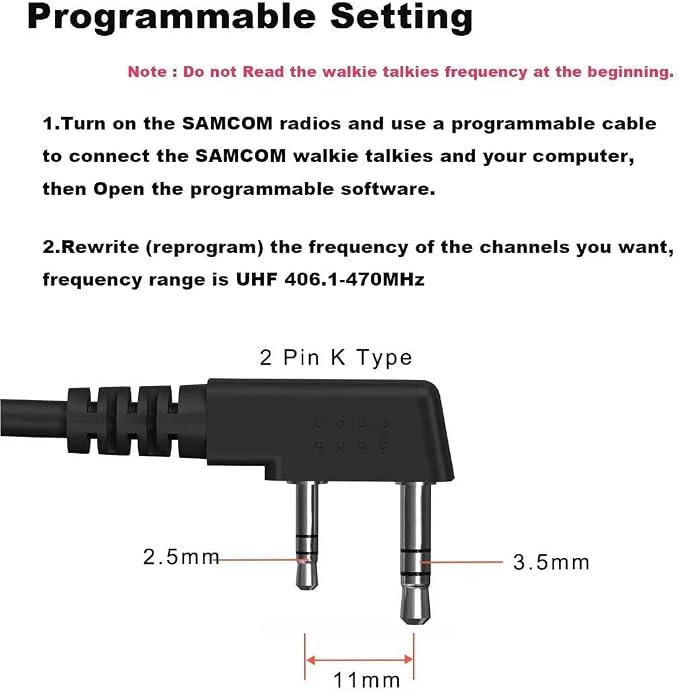
- ?? PLUG & PLAY - NO DRIVER INSTALLATION REQUIRED Simply connect the cable to your Windows PC and SAMCOM FPCN30A/FPCN10A radio?it’s recognised instantly. - ??READY-TO-USE. No complex setup, no failed installations, just ready-to-program simplicity.No Driver Issues - No old drivers needed. - ?? OFFICIAL SAMCOM SOFTWARE Download the official programming software directly from the SAMCOM website for the best performance. - ?? STABLE DATA TRANSFER & SECURE CONNECTION.High-quality shielding prevents data corruption, while the 3.5mm and 2.5mm jacks ensure a snug, secure fit with standard 11mm pin spacing. Your programming session completes smoothly every time. - ?? SAMCOM programmable cable is designed for use with official manufacturer software and is designed for SAMCOM radios. NOT compatible with CHIRP, iOS, Linux, or Ubuntu systems. - ?? RELIABLE USA SUPPORT & WARRANTY A dedicated USA-based team in UT is ready to assist you with any questions, from setup to programming. This commitment to service, backed by a solid warranty.
Product description
samcom fpcn30a two way radios long range
How to program a SAMCOM radio ?
Where can I download the SAMCOM programming software ?
Where to get a programmable cable ?
What is TOT for in the programmable software ?
Is the programmable software support Mac ?
The programmable software read/write times out at 5%
SAMCOM long-range radios often come with programmable features, allowing you to customize them to suit your specific business needs. This flexibility ensures that the radios are tailored to your operations and workflows, enabling smoother communication and more efficient task coordination.
Where can I download the SAMCOM programming software ?
Please download the programming software from our company website sanconsales.com
Where to get a programmable cable ?
We recommend you to use SAMCOM programming cable, other brands of cable might not be compatible with SAMCOM radios and cause system error.
What is TOT for in the programmable software ?
Time of Transmitting Timer. If you set the TOT time for 60s, then when you press the PTT button, it would stop transmitting after 60s for one time.
Is the programmable software support Mac ?
The SAMCOM programmable software only support PC, not Mac.
The programmable software read/write times out at 5%
Maybe the SAMCOM radio have poor connections with the PC, please try to hard-press when you plug the cable into the 2-pin earphone jack and it can get better
Share