MobileNest
SonarPen 2 - Pressure Sensitive Stylus for iPad with 2000 Drawing Lessons
SonarPen 2 - Pressure Sensitive Stylus for iPad with 2000 Drawing Lessons
Couldn't load pickup availability
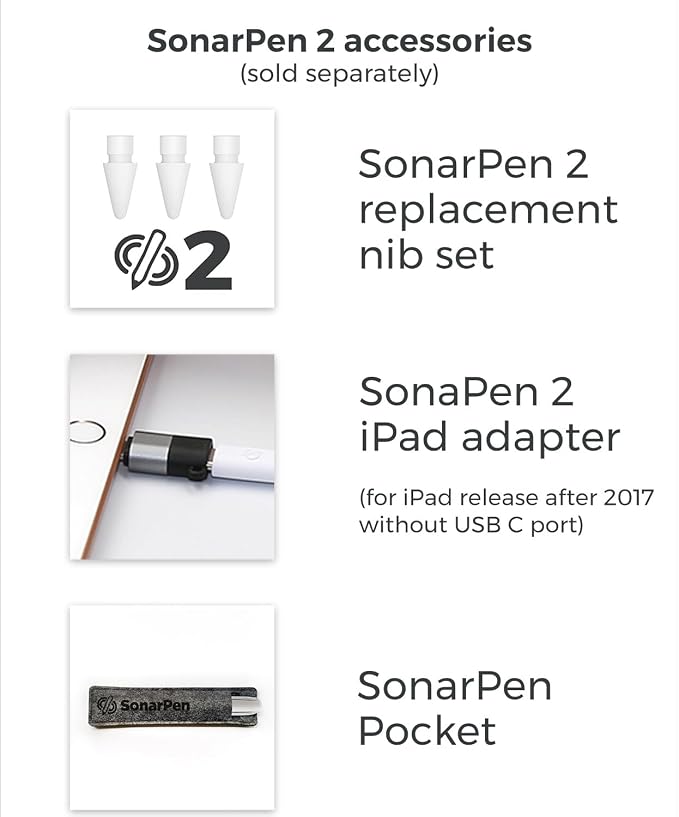
- **ATTENTION** iPad released after 2017 and without USB C port required "SonarPen 2 to iPad adapter" to connect. Adapter sold separately. Adapter from other brand is not supported. - 【Compatible with 2018-2025 iPad & iPad Pro】The stylus supports for iPad series 2018-2025 model: iPad Pro 13" (M4), iPad Pro 12.9"(3rd/4th/5th/6th), iPad Pro 11"(All Generations), iPad Air M3/M2/5th/4th/3rd Gen, iPad 11th/10th/9th/8th/7th/6th, iPad Mini 6th/5th Gen. Please confirm your devices before you place an order. - 【Not compatible with models before 2018】The stylus doesn't support iPad pro 1st&2nd, iPad pro 10.5", iPad pro 9.7", iPad 1 to 5 Gen, iPad mini 1 to 4 Gen, iPad Air 1st/2nd Gen versions of iPad. Not Compatible With iPhone, Android, Microsoft devices. - 【True pressure sensitive for drawing and writing】Equipped with true pressure sensitivity, palm rejection, and tilt angle detection for precise control and natural writing experience. Equipped with hardware shortcut button for quick access to frequently used tools and functions. ** Different features are utilized by different app, check website for - 【Battery-less design + Anti-shock construction】Say Bye to charging and Bluetooth pairing, SonarPen 2 connects to the iPad reliably through the USB C port. Just plugin and it will have UNLIMITED power for your creative activities. The Applo Pencil's nib is known to be its most fragile component, easily prone to breakage. SonarPen 2 solves this with a reinforced nib design, secured by two flexible plastic fixtures and cushioned with shock-absorbing silicone for added durability. - 【Content in the box】SonarPen 2 x 1, Extra pen nib x 1, Pen holder x 1, instruction, quick start guide
Product description
SonarPen 2
The most affordable iPad Pen with Pro Features
SonarPen 2 is the best pressure sensitive stylus
Professional artist ChrissaBug draw w/ SonarPen 2
SonarPen 2 demo by professional artist, @ChrissaBug
Check SonarPen 2's webpage for the list of SUPPORTING APPS. Here are a few:
Ibis Paint X
FlipaClip: Create 2D Animation
Zen Brush 3
ZoomNotes
Smart pen comparison
In supported apps
Pressure sensitive
In supported apps
Perfect in all app
Palm rejection
in supported apps
In all apps
Tilt angle detection
not available
1 hardware button
Shortcut button
1 hardware button
Unlimited, nobattery
Battery life (hour)
Unlimited, nobattery
All iPad after 2017
Compatibility
iOS, Android & more
$ $
Price
$
In supported apps
Pressure sensitive
NO
Perfect in all app
Palm rejection
Perfect in all app
In all apps
Tilt angle detection
in all apps
1 hardware button
Shortcut button
NO
Unlimited, nobattery
Battery life (hour)
7.5, not replaceable
All iPad after 2017
Compatibility
All iPad after 2017
$ $
Price
$ $ $
In supported apps
Pressure sensitive
Yes
Perfect in all app
Palm rejection
Perfect in all app
In all apps
Tilt angle detection
In all apps
1 hardware button
Shortcut button
NO
Unlimited, nobattery
Battery life (hour)
12, not replaceable
All iPad after 2017
Compatibility
Older iPad
$ $
Price
$ $ $ $
In supported apps
Pressure sensitive
Yes
Perfect in all app
Palm rejection
Perfect in all app
In all apps
Tilt angle detection
In all apps
1 hardware button
Shortcut button
NO
Unlimited, nobattery
Battery life (hour)
12, not replaceable
All iPad after 2017
Compatibility
Newer iPad
$ $
Price
$ $ $ $ $
SONARPEN drawings on social media
SONARPEN drawings on social media
How do I know if my iPad can work with SonarPen 2?
How to connect SonarPen 2 with iPad without an USB C port?
Is pressure sensitivity supported in all iPad apps?
Do SonarPen 2 support palm rejection?
How do I replace the nib?
The PRESSURE SENSITIVE stylus that unlock your true creativity.
Compatible with all iPad released after 2017 (** adapter required for iPad without USB C port, sold separately)
ChrissaBug: Delicious line art is a big part of my art process .... and I have to say that I'm impressed. It (SonarPen 2) handled like a professional stylus that I'm used to using with my PC.
ibis Paint X is a popular and versatile drawing app downloaded more than 100 million times in total as a series, over 2500 materials, over 1000 f...
FlipaClip’s powerful and fun tools make frame-by-frame animation easy. Join our growing community of users creating unique and exciting animations...
Zen Brush 3 is a drawing app focused on the strong yet beautiful feel of the East Asian ink brush which can be used to perform calligraphy, ink ...
ZoomNotes is the most comprehensive visual note-taking app with huge zoom range. Make handwritten notes and sketches on virtual paper...
from elementary school students to artists around the world
from elementary school students to artists around the world
How do I know if my iPad can work with SonarPen 2?
All iPad released after 2017. Or go to Settings > General > About to find out its model. SonarPen works with the following model:
- iPad (6th gen) or newer
- iPad Pro (3th gen) or newer
- iPad Air (3rd gen) or newer
- iPad mini (5th gen) or newer
How to connect SonarPen 2 with iPad without an USB C port?
User of iPad (6, 7, 8, 9th gen) / iPad Air (3rd gen) / iPad mini (5th gen) must use an "OFFICIAL SonarPen 2 adapter for iPad" to connect with the SonarPen 2. **SOLD SEPARATELY**.
Is pressure sensitivity supported in all iPad apps?
SonarPen 2's pressure sensitive is utilized in SonarPen 2-supporting app, full app list is in the SonarPen 2 official webpage.
Do SonarPen 2 support palm rejection?
SonarPen 2 supports Palm rejection all the iPad apps, it performs exactly like an Apple Pencil.
How do I replace the nib?
Hold to SonarPen 2 on the left hand with the nib pointing up, grab the nib with the right thumb and index finger then turn counter clockwise.
Share