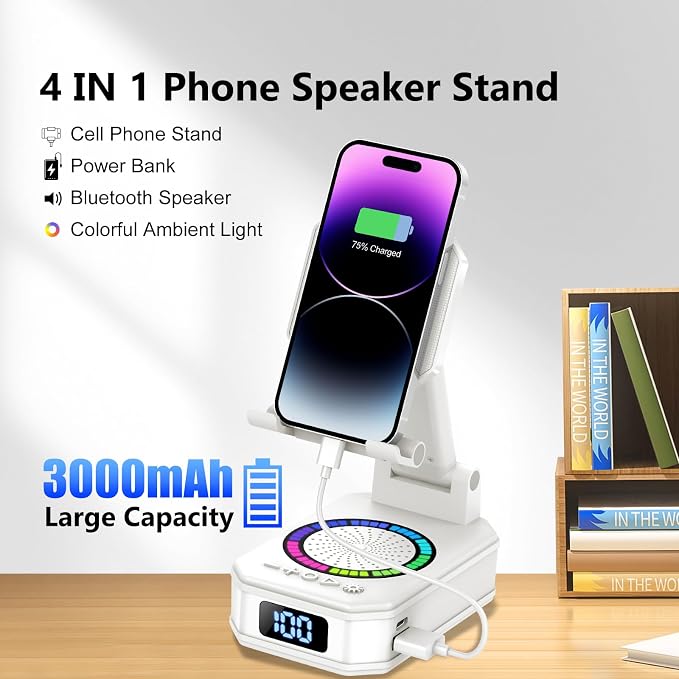
- Wireless Induction Bluetooth Speaker: Newly upgraded dual-mode design! The wireless induction speaker with induction mode and bluetooth mode. Built-in induction sensor breakthrough bluetooth connection, playing music instantly by placing your phone correctly on the cellphone stand. The Bluetooth mode equipped with cutting-edge Bluetooth 5.3 for a stable. Perfect for filling any room with your favorite music, podcasts, and movies.
- 5-in-1 Tech Gadget: This cool tech gadget gift combines induction speaker, bluetooth speaker, emergency charging, cell phone stand, ambient light. With a built-in 5W power speaker that delivers high-definition stereo surround sound at any volume level for an enhanced audio experience.
- Ideal Gift Choice: Stylish minimalist appearance and practical multi-function make it a perfect holiday and birthday gift for families, friends and colleagues, a must-have portable desktop electronic accessory. The foldable Bluetooth speaker phone holder is simple and easy to use, making it an ideal gifts for men and women.
- Flexible Adjustable & User-Friendly Design: Features adjustable viewing angle to meet different visual demands, effectively reducing neck and eye strain during long-time screen viewing. The lightweight and compact structure with anti-slip base ensures firm placement on desks. It supports vertical and horizontal phone placement, ideal for watching movies, live streaming, video chats and gaming.
- How to use the sensor mode: The speaker automatically enters sensor mode when powered on. In this mode, you cannot search for Bluetooth pairing names. Simply place your phone vertically in the center of the phone stand to activate sensor mode. It is recommended to turn your phone volume to 50% or higher and remove your phone case for a better user experience. (Sensor mode is not applicable to iPads and tablets). Press and hold the light button for 3 seconds to switch to Bluetooth mode.
Product description
How to use the sensor mode?
Why isn't my phone responding when placed on the stand?
Are there any requirements regarding the phone's orientation in sensor mode?
How to switch Bluetooth Mode?
How do I switch from Bluetooth mode to sensor mode?
How to use the sensor mode?
The speaker automatically enters sensor mode when powered on. In this mode, you cannot search for Bluetooth pairing names. Simply place your phone vertically in the center of the phone stand to activate sensor mode.
Why isn't my phone responding when placed on the stand?
The sensor mode cannot be triggered if the volume is too low. We recommend turning the phone volume up to 50% or higher and removing the phone case for a better user experience.
Are there any requirements regarding the phone's orientation in sensor mode?
Yes, sensor mode is only activated when the phone is held vertically. Holding the phone horizontally will not activate sensor mode, but Bluetooth mode will still be available.
How to switch Bluetooth Mode?
The sensor mode is automatically triggered upon power-on. Press and hold the light button to switch to Bluetooth mode.
How do I switch from Bluetooth mode to sensor mode?
In Bluetooth mode, you can long-press the light button to switch to sensor mode. Long-pressing the light button allows you to freely switch between Bluetooth mode and sensor mode.